Can I borrow a laptop from the library?
Yes. Laptops may be borrowed by Douglas college students and employees. The loan period is 24 hours though some exceptions may apply. Please note that wireless printing from laptops is not available.

Use this page to find answers to the most Frequently Asked Question about our Library and Learning Centre. If your question is research related check out our Research FAQs
Yes. Laptops may be borrowed by Douglas college students and employees. The loan period is 24 hours though some exceptions may apply. Please note that wireless printing from laptops is not available.
Yes! The library offers Bring Your Own Device (BYOD) Docking Stations at the New Westminster Campus Library. Just plug in your laptop using the provided USB-C cable to use a full-size monitor, keyboard, and mouse. Setup is quick, and instructions are posted at each station. For more info see our Computers and Printing page.
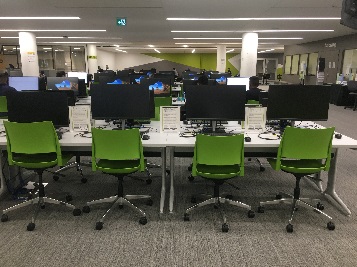
Computers at Douglas College are only available to College students and employees. Users must comply with the Douglas College
as well as all college and library polices, licensing, and contractual agreements. Individuals who have business with the College may be temporarily signed in at the discretion of the Library, provided that there are sufficient spaces available for students and employees.
Visitors from other academic institutions participating in the "Eduroam" network can login into Eduroam Wi-Fi using their campus credentials.
Yes. Student computer labs are available for use on the 5th and 6th floors at the New Westminster Campus and on the 2nd floor at the Coquitlam Campus. At New Westminster, room 6212 is an open lab that is always available for students to use during operating hours. See the full list of available labs » You may also borrow a laptop at the front counter for 24 hours.
Yes. Wireless computing is available throughout the College at both campuses and Anvil Office Tower, but not wireless printing. The login process is the same as accessing a desktop computer using your CNA.
Visitors from other academic institutions participating in the "Eduroam" network may login into Eduroam Wi-Fi using their campus credentials.
For more information on Wi-Fi credentials please see the Logins and Passwords page.